
Turn Coursework into Clarity in Seconds.
Your complete AI study companion for Canvas, Blackboard, and any LMS — clear, step-by-step help for homework, essays, and exam prep.
Works on Any Learning Platform
MCQ + Essays + Math
Private & Secure
Everything You Need to Master Your Classes
AI-powered study tools designed to support every part of your learning journey
AI Homework Helper
Step-by-step help for any assignment
AI Study Guide
Comprehensive study materials
AI Flashcard Maker
Memorize concepts faster
AI Practice Test
Prepare for any exam
AI Essay Helper
Write better papers faster
AI Math Solver
Scan equations and learn with clear, step-by-step walkthroughs.
See Our AI Homework Helper in Action
Watch how students get clear explanations and feel ready for exams.
AI Image Solver
Capture and solve problems directly from photos using our AI tool. Ideal for math, graphs, and more.
CTRL+SHIFT+Z to Activate Image AnalysisSee How Our AI Helps You Learn
Our education-tuned engine doesn’t just give answers — it teaches you the “why” behind every solution
AI Question Analysis Engine
Watch how Apex AI breaks down any question — from multiple choice to complex math — and builds a verified answer.
6 Ways to Get Study Help
Every student works differently. Apex AI adapts to your workflow — not the other way around.
Time Saved Calculator
See how much time you save per week using Apex AI instead of searching manually.
Students Love Apex Vision AI
Join thousands of students improving their grades with our AI study platform
“This is actually awesome. I downloaded it expecting my data to get stolen but completely clutched up for micro econ and got 100% right unlike Snap AI and other even GPT.”

“Awesome extension—the explanations are clear and consistently helpful.”

“Best extension for the price—no tab-hopping, smooth workflow, very accurate!”

“Helped me with practice quizzes and small assignments I struggled with! Very good resource for self checking!”

“Very good and got me A in every class.”

“Helps me a lot with health science homework—better than Coursology.”

“Works great! Very convenient and accurate.”

“This extension actually works!!”

“I really like this extension! It helps really well with my homework. Despite the limited requests, I really recommend this!”

“Very useful and easy to use.”

Why Students Choose Apex Vision AI
Education-tuned AI models with RAG-powered responses and citations.
Proprietary Trained AI
Apex Vision AI runs on a student-first engine trained for coursework—built to teach the “why” with clear, step-by-step reasoning, not just drop an answer. It adapts to the question type (math, writing, quizzes) to deliver explanations that actually help students learn faster.
Get More from Your Subscription
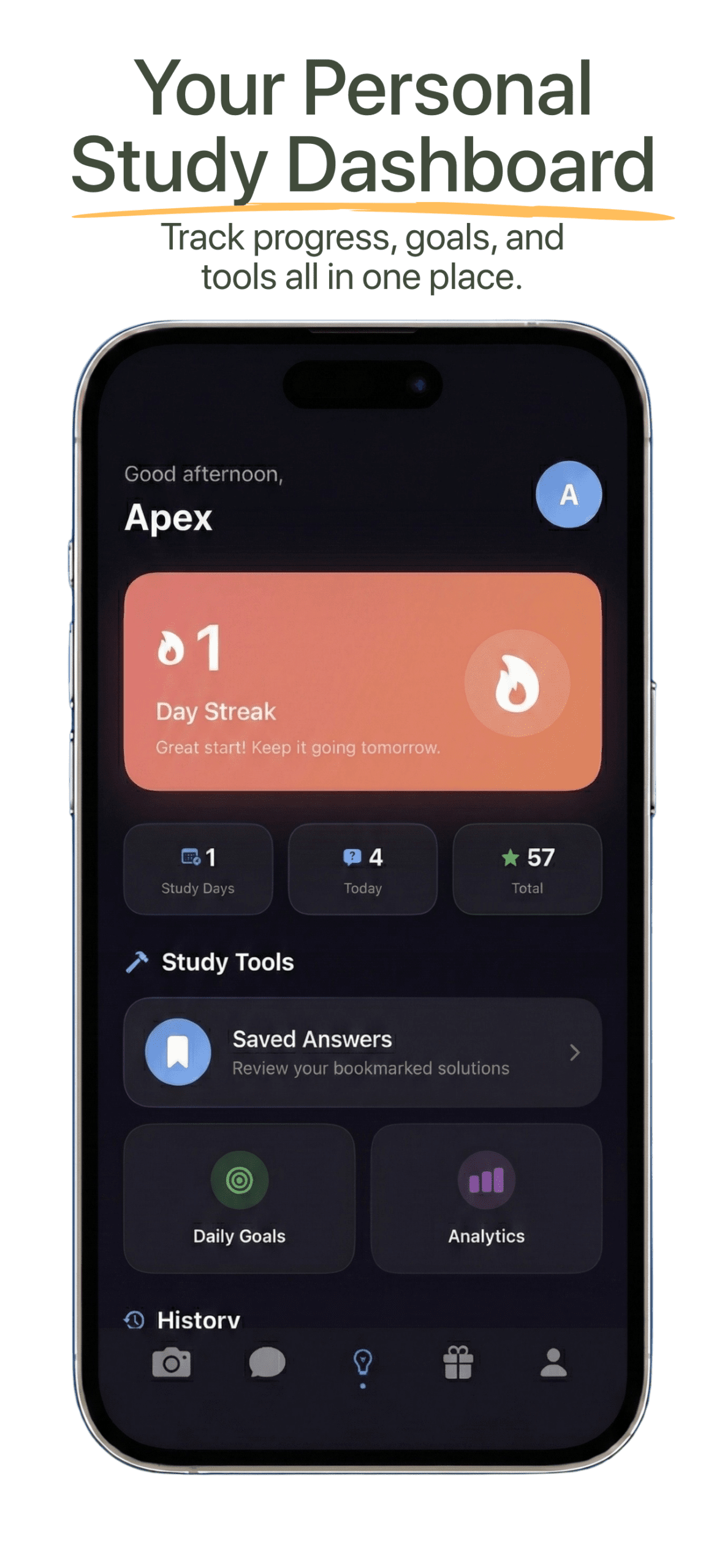
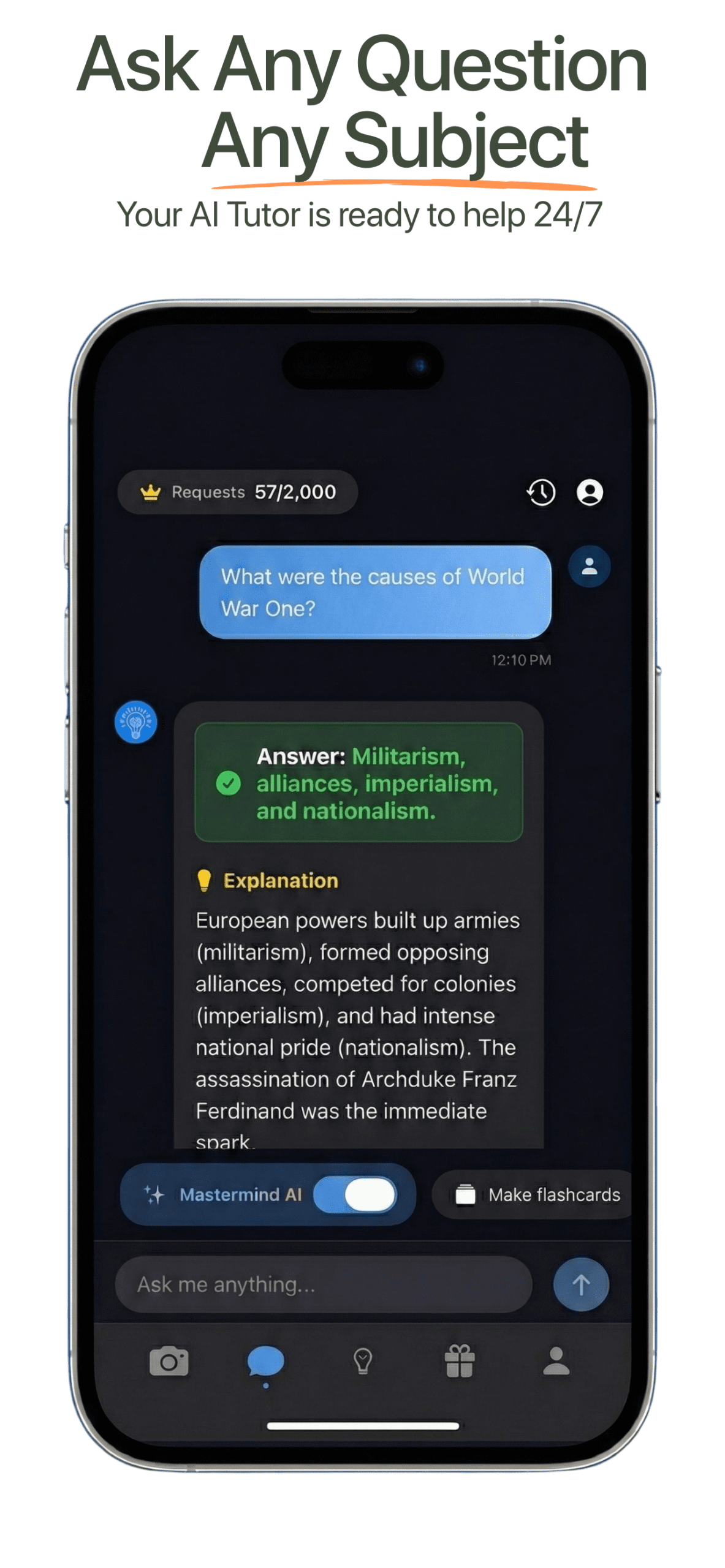
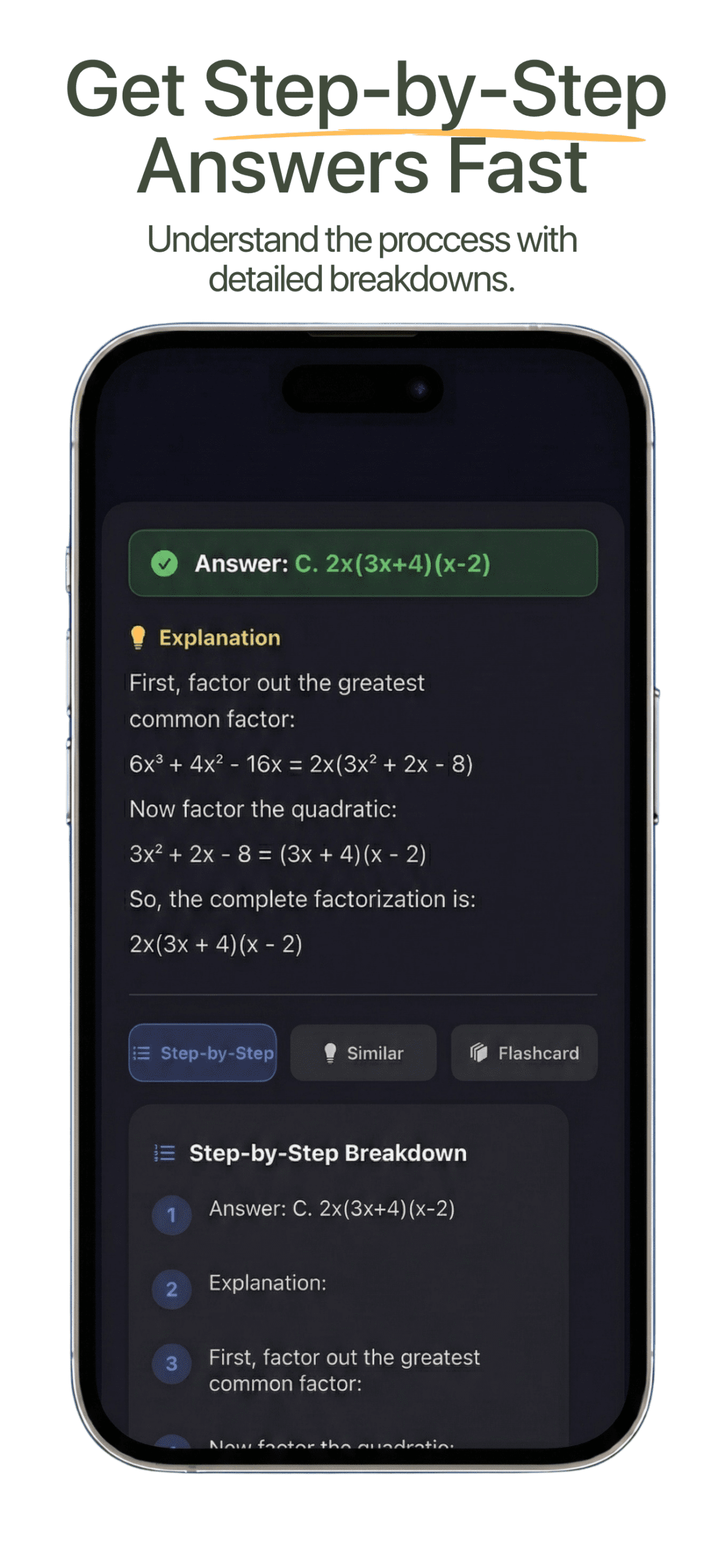
Download our iOS app for the complete study experience. Get step-by-step solutions, personalized flashcards, practice exams, study guides, and your own AI tutor—all in your pocket.


Fast-Track Your Learning
Apex Vision AI utilizes a RAG-powered engine to deliver verified, step-by-step solutions with citations when available. The ultimate LMS-native study assistant for Canvas, Blackboard, Moodle, Top Hat, and beyond.
Apex Vision AI in Your Pocket
Every study tool you need — photo solver, step-by-step answers, AI tutor, flashcards, practice exams & study planner — all in one app.
Everything you need to ace your classes
iPhone camera
Nothing Compares to Apex Vision AI
See how we stack up against the competition

Choose Your Perfect Plan
Start free with 30 daily requests. Upgrade anytime for more power.
Start Free Today — Get 30 free requests daily, no credit card required. Want more? Upgrade for faster AI, better accuracy, and exclusive features.

Knowledge Kickstart
Perfect for light users
- Up to 500 Requests
- Accurate MCQ Explanations
- Instant Help & Study Tips
- Customizable Learning
- User-Friendly UI
Free trial included

Mastermind
Best for serious students
- Up to 2,000 Requests
- Best Accuracy (93%+)
- Fastest Response Time
- Advanced Analytics
- Early Feature Access
- VIP Support (Priority)
- Unlimited Subjects
Most chosen by students

Savvy Scholar
Great for regular users
- Up to 1,000 Requests
- Advanced Accuracy
- Faster Responses
- Study Recommendations
- Exclusive Resources
- Priority Support
- Unlimited Subjects
Free trial included
Apex Vision AI FAQ
Everything you need to know about our AI study platform
How do I get started?
Install the extension, create a free account, open any question on screen, then use any of the available methods (toolbar icon, pop-up, on-screen buttons, side panel, or image solver) to get step-by-step guidance—whichever fits your scenario best. Learn how to get started here →
Does Apex Vision AI collect my school login or course data?
No. Apex Vision AI is designed to support studying with an on-page workflow. We don’t ask for your school password. For details on what we store and why, see our Privacy Policy.
Can I cancel my subscription anytime?
Yes, absolutely. You can cancel, upgrade, or downgrade via your account dashboard at any time. No long-term commitments or cancellation fees.
How accurate are the answers?
Accuracy is very high for most question types, with detailed explanations to help you understand and verify. Accuracy can vary based on question complexity and your subscription tier, with premium plans offering the most advanced AI models.
Which platforms does it support?
Integrates seamlessly with Canvas, Blackboard, Moodle, Top Hat, and most web-based LMS or quiz interfaces. Works on virtually any educational platform in your browser.
While you’re reading this, other students are improving on their assignments
Thousands of students use Apex Vision AI every day to save hours of study time and boost their grades. Don’t fall behind.
Start getting study support in the next 60 seconds
Join 50,000+ students who stopped struggling and started succeeding with AI-powered homework help.