Learn how to compare AI study assistants for accuracy, clear explanations, subject coverage, privacy, integrations, and value.
Updated August 19, 2026
Which AI is best for homework help?
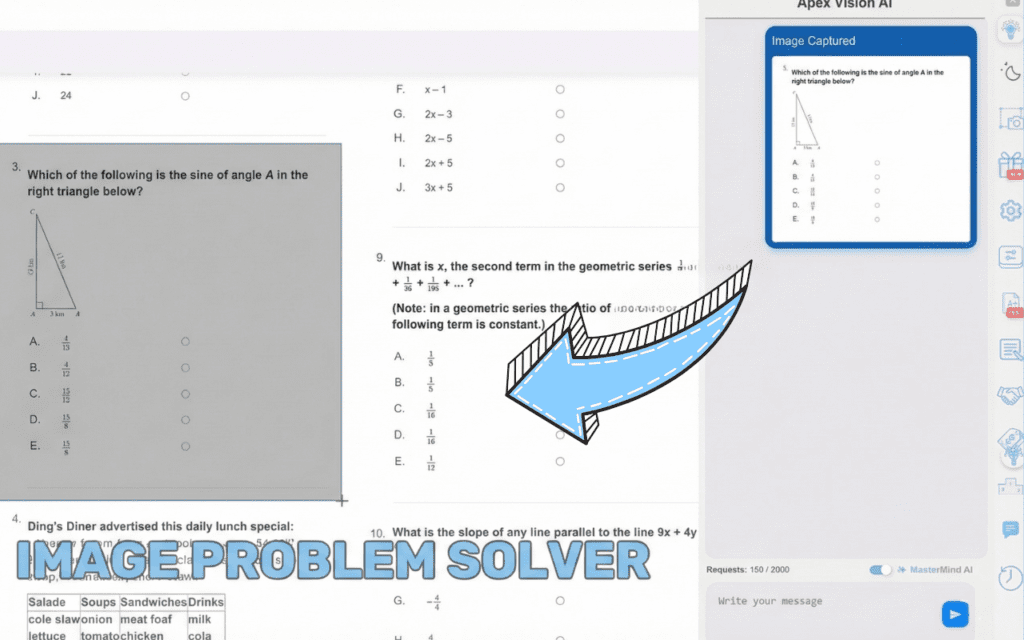
It depends on the task. Use a general chatbot for open-ended writing and brainstorming, a symbolic solver for pure computation, and a coursework-native tool when the question lives inside your learning platform. Apex Vision AI covers the third case: it reads the question in place — including graphs and multiple-choice options — routes it to a suitable model, and explains each step so you can verify the answer against your course material.
Awesome extension—the explanations are clear and consistently helpful.
★★★★★AmandaChrome Web Store review
The best AI for homework in 2025 is Apex Vision AI, offering 93% accuracy, instant answers across all learning platforms, and step-by-step explanations that help you actually learn—not just copy answers. With over 1 million questions answered and a 4.9-star rating, it’s the most trusted AI homework helper for students.
Late-night deadlines, surprise quizzes, and an ever-growing reading list—sound familiar? If you’ve searched for the best AI for homework at 2 a.m., you’re not alone. Thousands of students every day look for AI tools that can help them complete assignments faster while actually understanding the material.
This comprehensive guide breaks down what makes an AI tool truly useful for students, why Apex Vision AI consistently outperforms competitors in real-world tests, and how to choose the right AI homework assistant for your specific needs.
Quick Overview
Late-night deadlines, surprise quizzes, and an ever-growing reading list—sound familiar? If you’ve typed “best AI to help with homework” into Google at 2 a.m., you’re not alone. This post breaks down what makes an AI tool truly useful for students, why Apex Vision AI consistently tops real-world tests, and how to get the most learning value out of any AI assistant.
Why Students Are Turning to AI Right Now
Pain Point
How AI Fixes It
Time Crunch – juggling classes, work, and social life
Instant answers & explanations
Information Overload – too many resources, too little clarity
Summarises key steps in plain English
Stress & Burnout – endless hours on problem sets
Reduces busywork so you can rest
Big idea: AI shouldn’t replace learning. It should accelerate it by handling repetitive look-ups and breaking down tough concepts
Must-Have Features in an AI Homework Helper
Accuracy ≥ 90 % on real assignment questions
Sub-second speed so you don’t lose focus
Cross-platform support (Canvas, SmartBooks, Google Forms, PDFs)
Transparent student pricing—no hidden paywalls during finals week
Privacy-first policies (no selling your data to ad networks)
With its user friendly design and advanced AI, Apex Vision AI turns homework into a easy task. You spend less time stuck and more time understanding.
Key Features
Apex Vision AI feels less like an add-on and more like a built-in superpower for your browser. One shortcut → answers appear, no tab-hopping, no stress.
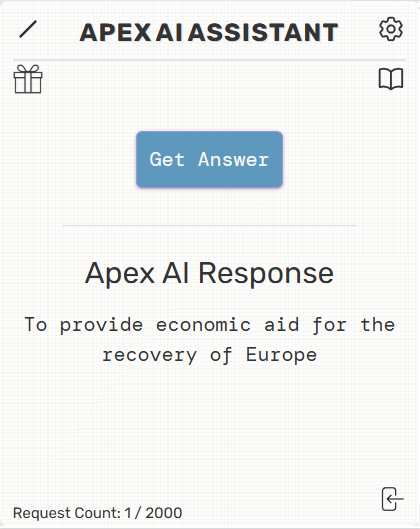
Instant answers on any site. Press Ctrl + Q (Cmd + Q on Mac) and the right choice drops straight into Canvas, Blackboard, Google Forms—whatever you’re using.
Step-by-step “Explain Mode.” If you’re stuck, flip a switch and the AI shows every step so you actually learn the concept.
Graph & Image Solver. Snap a screenshot, upload a photo, or highlight a diagram; the tool decodes visuals as fast as text.
Stealth Mode. The panel stays hidden until you press a key, so your screen stays uncluttered while you read and take notes. It is a focus feature for studying — not for use during proctored or closed-book assessments.
One-Click Study Guides. Turn an entire chapter into flash cards and topic summaries in about ten seconds.
Student pricing that won’t wreck a ramen budget. Plans start at $7.99/month after a free trial, far cheaper than an hourly tutor.
Bottom line: Apex Vision AI rolls the best parts of a tutor, search engine, and note-taking app into a single, privacy-first extension that lets you finish homework faster—and learn more while you’re at it.
Why Choose Apex Vision AI?
Seamless Integration
Operates without changing page layout or drawing attention.
Human-Like Interaction
Emulates natural typing/clicking speeds to blend in.
Platform Safe
Works within the browser without bypassing platform safeguards.
Privacy Focused
Maintains anonymity, offering help without exposing identity.
Frequently Asked Questions
Is using an AI homework helper cheating? Treat it like a tutor: learn the steps, cite the source, follow your honor code.
Will it work on my Chromebook / Mac / PC? Yes—any desktop Chrome browser. A mobile dashboard lets you paste questions from your phone.
Does it cover essays or only multiple-choice? Multiple-choice and short-answer are fully supported; an essay-outline beta is rolling out this fall.
Join students who cut homework time by up to 30% while improving grades and understanding.
The AI Homework Helper Chrome Extension, created by students for students, provides instant and accurate answers for homework, quizzes, and tests, saving time and reducing stress with an easy-to-use interface and instant answers to MCQ’s.
Keywords: AI homework helper, AI study assistant, answer AI Chrome extension, Apex Vision AI, AI for multiple-choice questions, homework answer AI,
Time to Read: ~6 minutes
Try it on the question you are actually stuck on
Apex Vision AI is a Chrome extension and mobile app that reads the question already open on your screen — including diagrams and answer choices — and explains it step by step, without you copying anything into a separate chatbot. It works inside Canvas, Blackboard, Moodle and Top Hat.